

Receive Your First Fax by Email
To receive faxes by email with ICTFax, an admin adds a DID number, assigns it to your user, and you set that DID to Fax to Email under My DIDs. Every fax sent to the number then arrives in your inbox as an attachment, and you can add more email addresses to share it.
Before you start
- Your SIP provider needs to send calls for the DID to the ICTFax server. The admin guide explains providers.
- The server needs to be able to send email. Giving the fax domain an SPF record that allows the server’s IP helps the fax emails avoid spam folders.
Step 1: The admin creates your user
The admin opens Administration > User Management, adds a new user with a username, password, timezone and a valid email address, and saves it.
Step 2: The admin adds the DID and assigns it to you
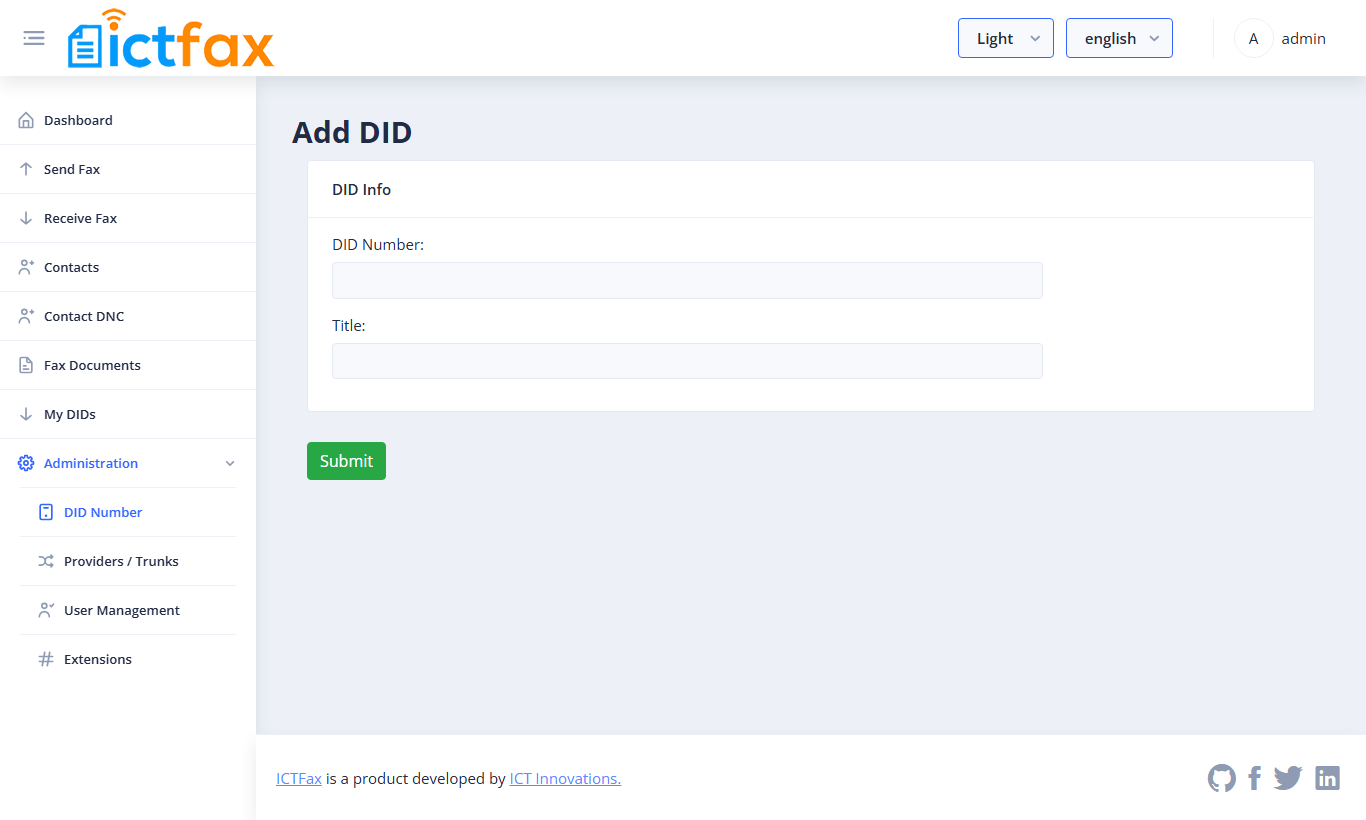
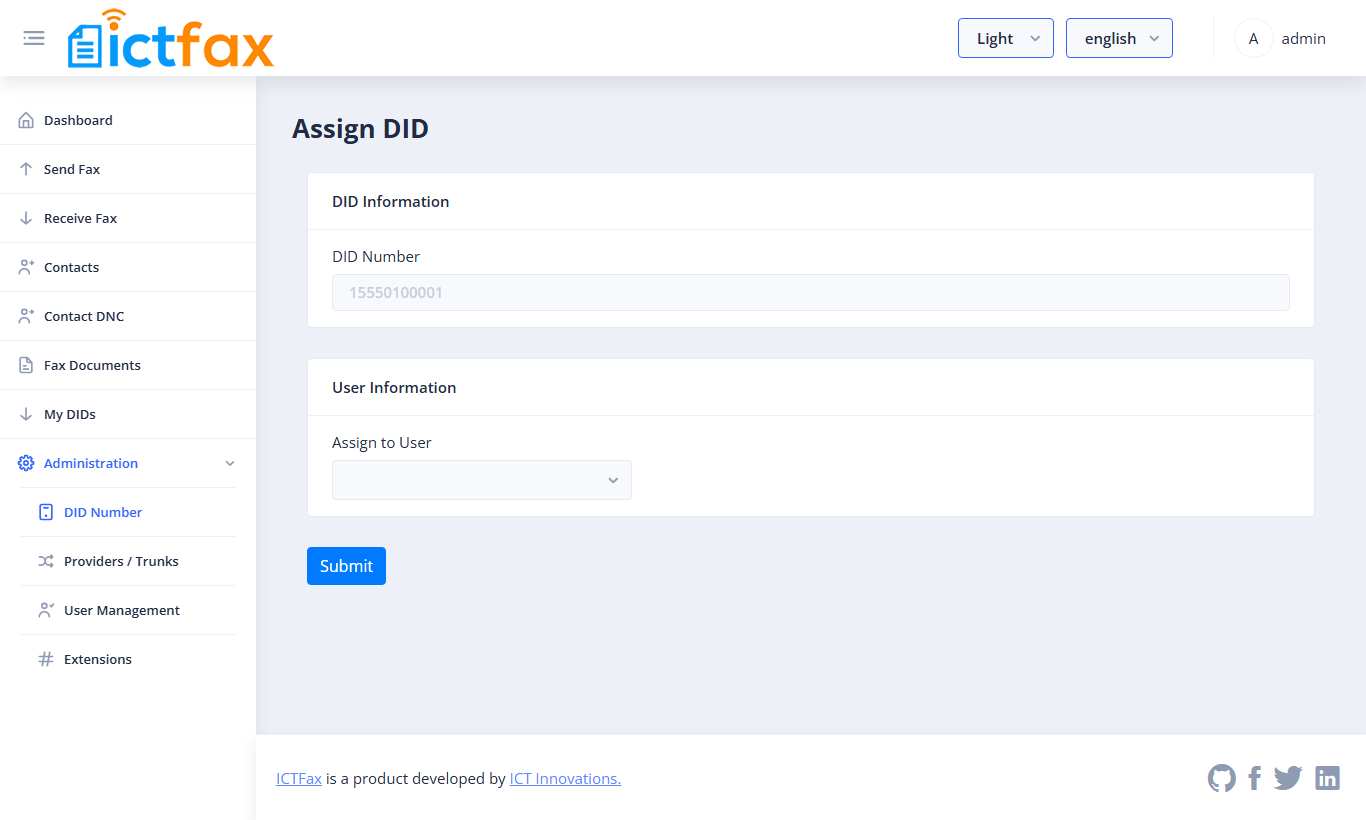
Under Administration > DID Number, the admin adds the number (a single DID, or a whole range with the batch option), then uses Assign on that DID to pick your user.
Step 3: Turn on Fax to Email
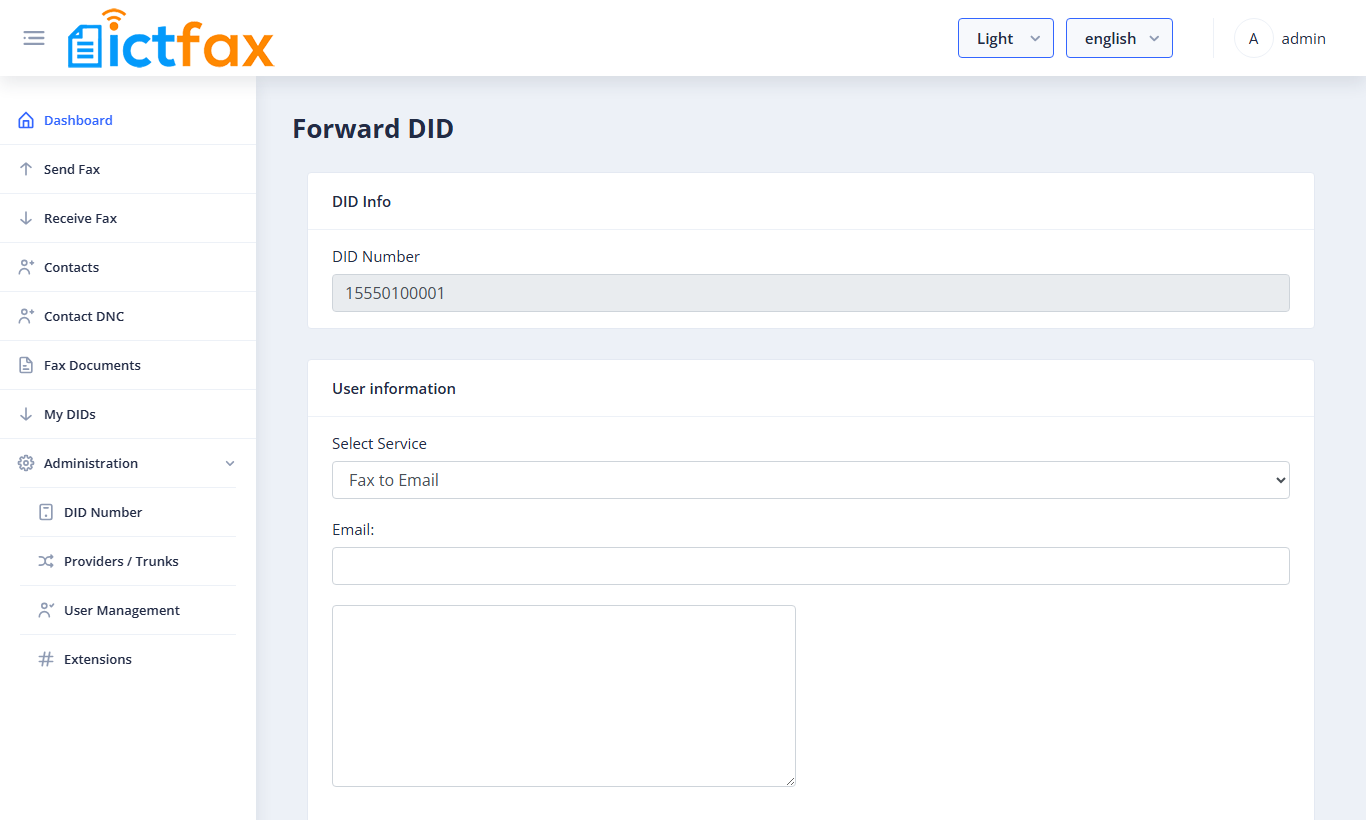
Log in as yourself and open My DIDs. Click Forward next to the number, choose Fax to Email under Select Service, and enter your email address. To send each fax to more people, type their addresses in the box below the Email field, one address per line. Save.
Step 4: Test it
Send a fax to the DID from any fax machine or online fax service. Within a minute or two of the call ending, the fax should land in your inbox as an attachment.
If the fax doesn’t arrive
- The call never reaches ICTFax: check that your provider routes the DID to the server.
- The call arrives but no email: check the address under My DIDs, and look in your spam folder.
- The DID is set to Forward to Extension: that sends the call straight to a fax machine or ATA instead, and no email is sent. Switch it back to Fax to Email.
FAQ
Can several people get the same fax?
Yes. Put the main address in the Email field and the others in the box below it, one per line.
Can I still print faxes on a fax machine?
Yes, with a different setting: Forward to Extension sends the DID to an ATA and fax machine. See Connect a Fax Machine or ATA to ICTFax.
Can I send faxes by email as well?
Yes. See sending your first fax by email.
Need a hand? Open a support ticket.